Someone lands on your small business website looking for a service. Within a few seconds, they should know what you do, who you help and how to get in touch. Before any of that can happen, Google and AI search tools need to understand what your pages cover. Good web design for small business plans for both from the start.
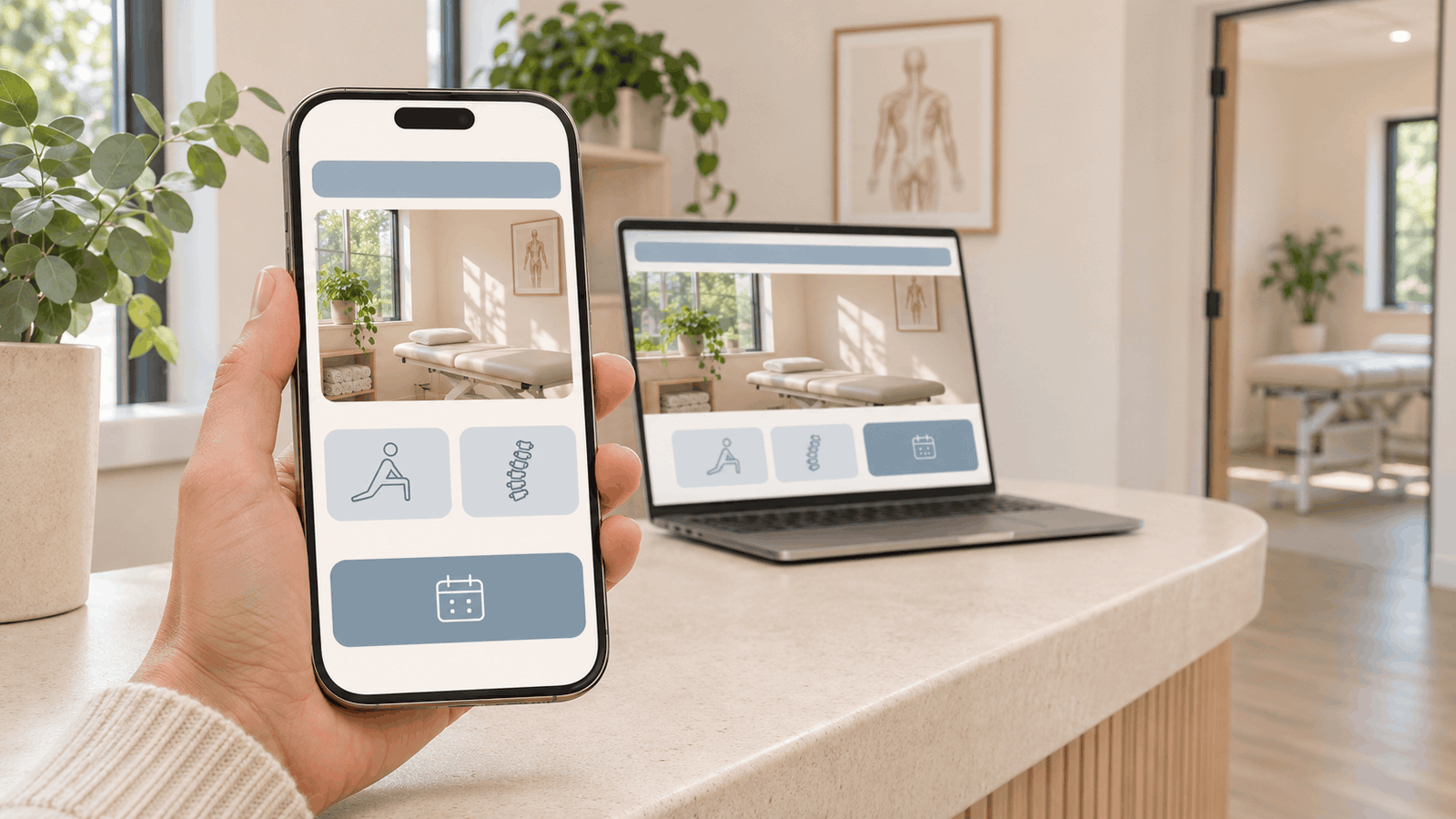
Think about a patient trying to book at a new clinic. They need to find the right treatment, check whether the clinic is nearby and see how to make an appointment. Each step should be easy to find. This guide takes you through the decisions that make that possible, from planning your pages to tracking inquiries after launch.
Why web design for small business and SEO are the same project
A clear menu helps customers find the service they need. Descriptive headings tell people and search engines what each page covers. Fast pages make it easier for visitors to keep going. You make those decisions during the design, which is why SEO belongs in the same conversation.
Problems tend to show up when SEO comes in after design. By then, a polished site might have its most important services buried under a menu item called “Solutions.” The same goes for copy. If keywords are added after the page is written, the wording can start to feel forced.
Say a physiotherapy clinic offers sports rehab, pelvic health and post-surgery recovery. If it lists all three in one paragraph on a page called “What We Do,” a patient looking for pelvic health may struggle to find enough information to book. A dedicated page makes the service easier to find and gives the clinic room to explain what an appointment involves.
Start with what your customers actually search for
Strong web design for small business starts with the questions customers ask before they call or book. Use the language they type into Google or ask ChatGPT to help decide which pages you need and what each should cover.
Start by typing your main service into Google. Look at the autocomplete suggestions and the “People also ask” box if it appears. Then ask whoever answers your phone which questions come up most often. If you already have a site, check Google Search Console to see which searches are bringing people to it.
An accounting firm might find searches like “bookkeeping for small business,” “help with a corporate tax return” and “do I need an accountant for my side business.” The first two might lead to service pages. The third could work better as a resource that helps someone decide whether they need an accountant.
Map your small business website pages before you choose a layout
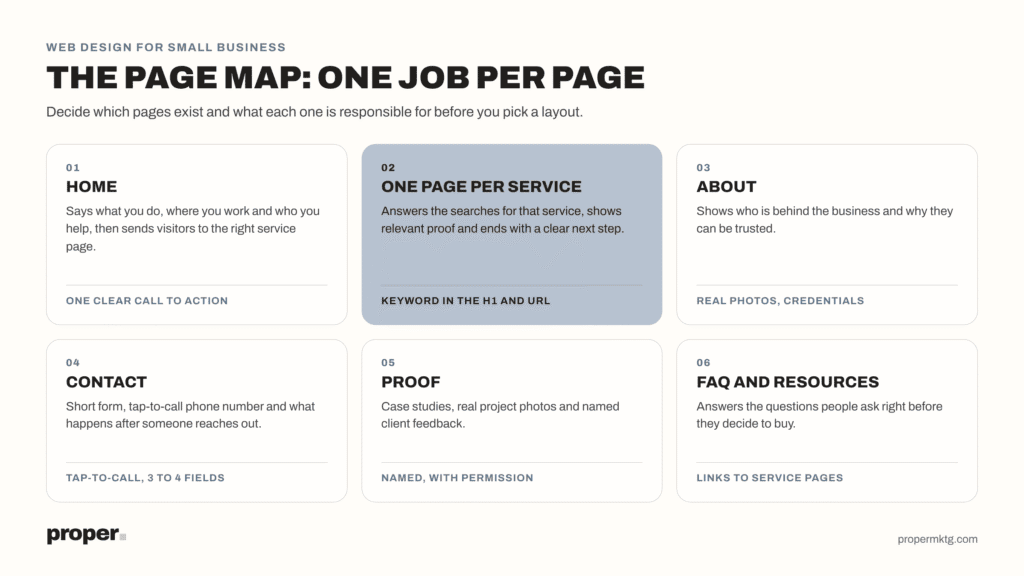
Decide which pages you need and what each one should help a visitor do. For most service businesses, these are the pages to plan first.
- Home page that says what you do, where you work and who you help
- One page per core service, instead of a single catch-all services page
- About page that shows who is behind the business and why they can be trusted
- Contact page with a short form and a phone number
- Proof pages such as case studies, project examples or client feedback
- FAQ or resource section that answers the questions people ask before they buy
One page per service beats one long list
Give each core service its own page. Someone searching for a specific service needs enough detail to decide whether it fits. A dedicated page gives you room to answer their questions, show relevant examples or reviews and make the next step clear.
Someone looking for Invisalign might want to know who’s a candidate and how long treatment takes. Someone looking for an emergency dentist wants to know whether they can be seen today. Give each visitor a page that answers the questions they’re coming with.
Give your home page one clear job
Use your home page to help visitors get oriented. Say what you do and who you help in the headline, link to your core services and give people one obvious next step, such as calling or booking.
Build a structure search engines and AI tools can read
Search engines don’t see your design the way a visitor does. They read the code underneath it, which is why page structure is a design requirement and not a technical footnote. The same goes for AI search tools like ChatGPT and Google’s AI Overviews, which pull answers from pages that are clearly organized (we explain how these differ in our guide to SEO vs AEO vs GEO).
A few habits cover most of what matters:
- Use one main heading (H1) per page, and make it describe the page instead of just repeating the business name
- Nest subheadings in a logical order, so the outline of the page makes sense even without any styling
- Write page addresses in plain words that hint at the topic, like /pelvic-health-physio/ instead of /page-12/
- Link related pages to each other with descriptive link text instead of “click here”
- Add alt text to images that describes what they actually show
These habits help people using screen readers just as much as they help search engines, which makes for a handy test. If a screen reader or a search crawler can follow your page from top to bottom and understand what it’s saying, the structure is doing its job. Google’s own SEO starter guide covers the same basics if you want to go a little deeper.
Write small business web design copy around search intent
A keyword tells you what someone typed. Search intent tells you what they were trying to do. Write the page around that task so visitors can get what they came for.
Someone searching “why does my lower back hurt when I sit” wants an explanation. Someone searching “physiotherapist near me open Saturday” needs your hours, location and a way to book. The first search could lead to a resource page. The second needs a service or clinic page with those details easy to find.
Open the page with the problem your customer is trying to solve and explain how you can help. Use the words you hear from customers and give them enough detail to decide what to do next.
Avoid keyword stuffing by using the main keyword where it fits naturally, such as the heading, opening paragraph and a relevant subheading. Read the page aloud before publishing. If a phrase sounds like something you’d never say to a customer, rewrite it.
Design for the phone first
In web design for small business, start with the screen a customer might use while they’re out. On a phone, check that people can find the essentials and take the next step without extra effort.
- Text you can read without zooming in
- Buttons big enough to tap with a thumb
- A phone number that dials with one tap
- A form that doesn’t require pinching and squinting to fill in
- Your location and hours visible without digging through menus
Imagine someone trying to book a class at a wellness studio between errands. If the schedule is a PDF they have to pinch to read and the booking button is several screens down, a simple task becomes work. Put the schedule and booking link where people can use them easily on a phone.
Keep the site fast
Speed mostly comes from restraint. Large uncompressed images, autoplaying videos and heavy sliders are the usual reasons a small business site feels slow, and each one costs you in rankings and in conversions. We go into the details in our post on site speed and mobile SEO, but the short version is simple.
Compress images before uploading them, and check which plugins or add-ons load code across the site. Test your key pages on a real phone over a mobile connection so you can see how the site feels outside the office.
Choosing a platform for your small business website
Start with what you need the site to do and who will update it. WordPress, Wix, Squarespace and Shopify are common options. If you’ll be editing the site yourself, try updating a service page in Wix or Squarespace before you commit.
Check whether the platform lets you organize pages clearly, keep them fast, update content easily and set up analytics. If online sales are central to the business, choose a platform built to handle your catalog and checkout from the start.
Trust signals that turn a visit into an inquiry
Once a visitor finds you, they still have to decide whether to get in touch. Give them the details they’d look for before trusting you with the job.
- A real phone number and the area you serve
- Photos of your actual team, space and work instead of stock images
- Named testimonials or reviews, used with permission
- Clear credentials, licenses or memberships where they matter to your industry
- A short explanation of what happens after someone gets in touch
Ask only for the details you need to respond. Make the primary action easy to find on every screen. If pricing varies by project, explain what’s included and how someone can get an estimate.
Set up measurement before launch
Decide what you’ll measure before launch. For a service business, inquiries, calls and bookings are usually more useful than visits alone. Install Google Analytics, connect Google Search Console and set up tracking for form submissions and phone number clicks.
Track successful form submissions, and use a thank-you page if it helps you confirm the visitor completed the form. Test it yourself before launch and check the numbers again during the first month. A working baseline lets you compare inquiries before and after the redesign.
What a small business website needs after launch
Web design for small business continues after launch. Set a quarterly review to update service details, add answers to new customer questions and link related pages. Check Search Console for pages that appear in search often but get few clicks, then look at whether their titles and content match what people are searching for.
Make sure your business name, phone number and hours match everywhere your business appears online, including your Google Business Profile and any directories you’re listed in. Mismatched details confuse customers and search systems alike, and fixing them is one of the easiest wins in local SEO for service businesses.
Common web design mistakes small businesses make
Check for these issues when you’re planning a new site or reviewing the one you have.
- Hiding services behind vague menu labels like “Solutions” or “What We Do”
- Covering every service on one long page
- Picking a template for its looks and ignoring page speed
- Writing about the business instead of the customer’s problem
- Using stock photos where real ones would build more trust
- Launching without analytics and then guessing at results
- Treating the site as a one-time project instead of something that keeps working for you
How Proper approaches web design for small business
Proper is a boutique digital marketing agency based in British Columbia, Canada, and you work directly with the founder from the first call. Our web design work starts with strategy: what the site needs to achieve, which searches it should show up for and what the copy has to say to make an inquiry likely. From there, we handle custom responsive design, website copy, a search-friendly structure and analytics, with SEO services, Google Ads and Facebook Ads available on their own or alongside the build.
We explain what we’re changing, why it matters and how we’ll measure it. Our medical courier SEO case study shows what that looked like on a real project.
Not sure whether you need a new site or a better structure underneath the one you have? Take our free SEO audit quiz to see where your site stands, or book a call and we’ll look at it together.
Frequently asked questions
How much does a small business website cost?
Cost depends on the number of pages, whether you need copywriting and whether the site needs to sell online. Ask each provider for a written scope covering design, copy, site structure, analytics setup and support after launch. That gives you something concrete to compare.
How long does it take a new website to rank on Google?
It varies with the competition, the searches you’re targeting and the content you publish. Use Search Console to see whether your pages are earning impressions for relevant searches, then track whether those visits turn into inquiries. Look at the trend over several months.
Do I need a new website or just better SEO?
If your site is easy to update and works well on mobile, you may only need clearer service pages, better internal links or technical fixes. A rebuild makes more sense when the platform keeps you from making those improvements. Review the structure, speed and content before deciding.
Can I build my own small business website?
Yes. A beginner-friendly builder can work if you have time to plan your pages, write useful copy and test the site on a phone. You can also get help with strategy or copy and keep day-to-day editing in-house.
Does my small business website need a blog?
A blog is worth having when you have customer questions that need a fuller answer and can keep those answers current. Link useful posts back to the relevant service pages. If you only have a few questions to cover, start with detailed FAQ or resource pages.
What pages should a small business website have?
Start with a home page, an about page, a contact page and a dedicated page for each core service. Add case studies, testimonials or FAQs where they’ll help customers decide whether to reach out.